SmartBridge
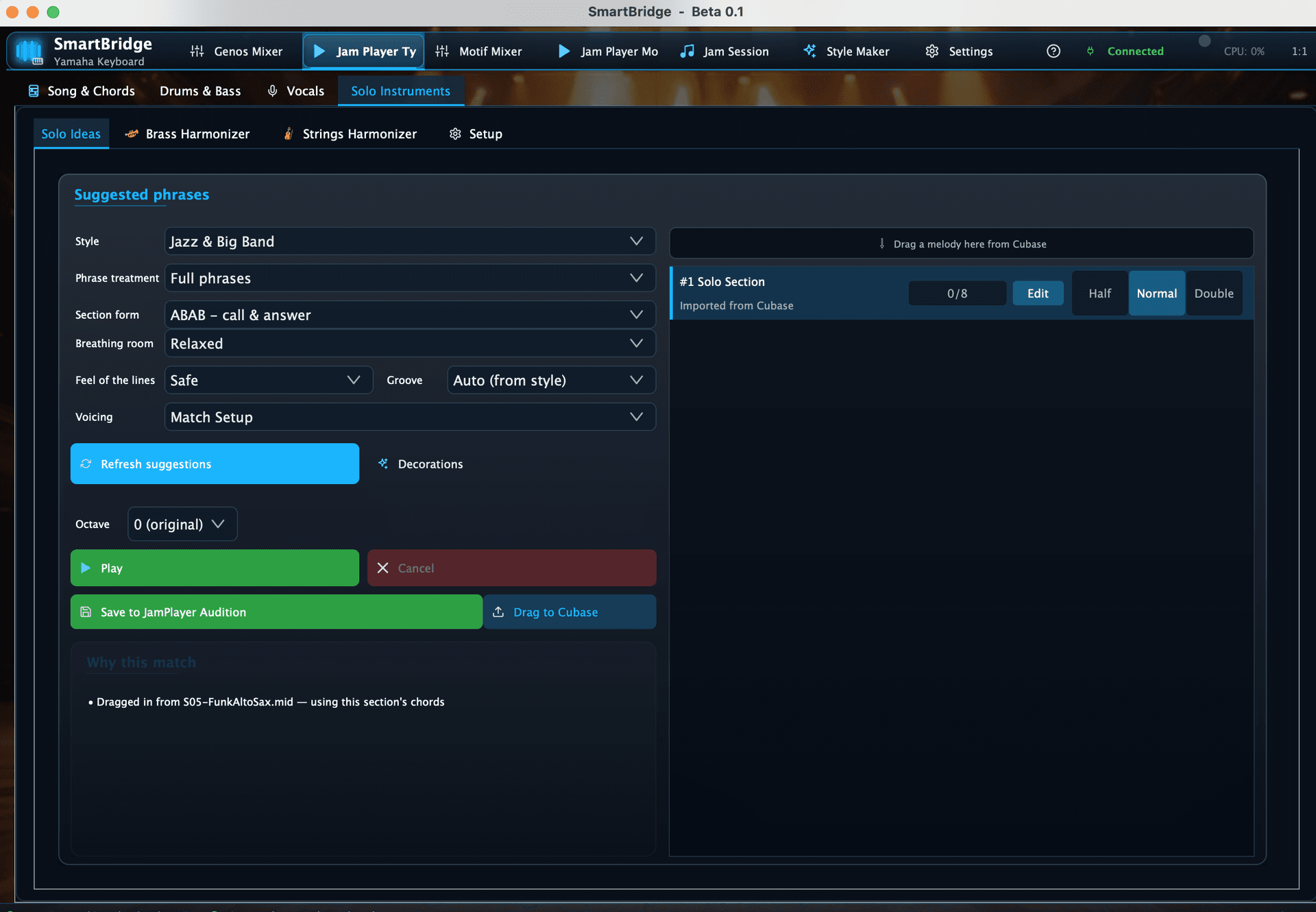
A personal creative tool designed for keyboard players who want a more inspiring musical workflow.
SmartBridge was created by a single musician who wanted something that felt natural, intuitive, and musical rather than technical. It did not begin as a commercial idea or a software product. It grew out of a musician's desire to explore the full richness of content that the Tyros and Motif have, but which is often locked behind technical barriers.
The decision to share it with others comes from the simple hope that fellow musicians might find the same spark of inspiration in it.

This project started as a personal tool to explore sounds, chords, and Yamaha mixer control in a way that felt right. It grew naturally out of curiosity and musical needs.
I'm sharing it now because I think other keyboard players might find the same value and inspiration in it that I have.
If you're interested in SmartBridge, feel free to contact me at claudio.private@gmail.com
Overview
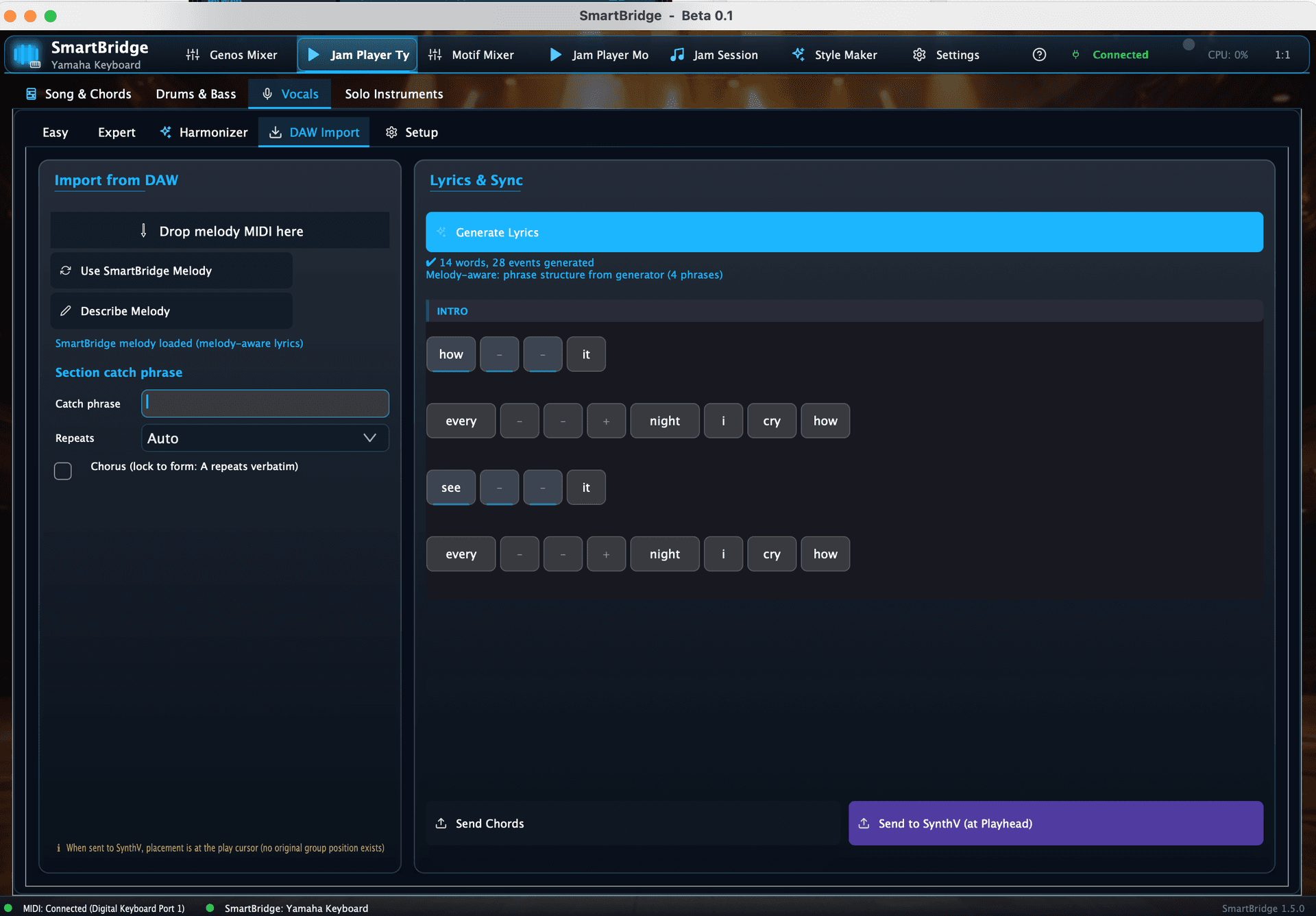
SmartBridge combines a Yamaha-focused mixer, chord tools, jam environments, and DAW export features into a coherent creative ecosystem. It aims to remove friction from the creative process and make experimentation enjoyable and immediate.

The Core of SmartBridge
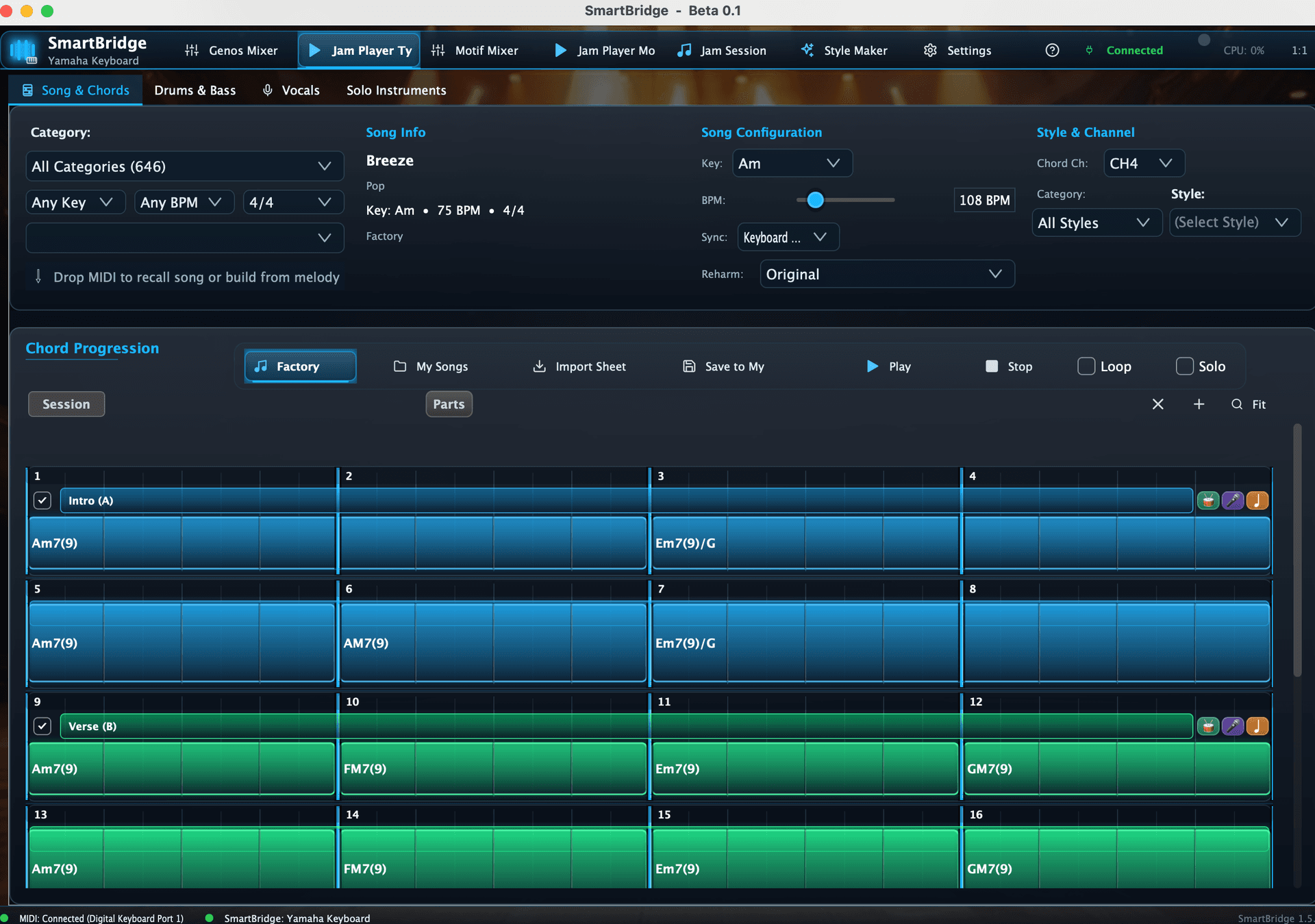
At its foundation lies a large musical database: more than 700 chord progressions stored as songs, each categorized by musical sections (intro, verse, pre-chorus, chorus, bridge, etc.) and stylistic families such as rock, soul, and ballads.
These progressions are intentionally curated so they fit together and provide rich harmonic variations suitable for each genre. This database powers Jam Player, Jam Session, and multiple creative workflows.
Two Main Musical Workflows
SmartBridge supports two primary creative approaches, each designed for different musical needs.
Improvisation & Exploration
Playing through chord progressions using Jam Player while improvising. The clear chord timeline enables effortless following and musical exploration.
- Browse and audition chord progressions instantly
- Follow the timeline for effortless improvisation
- Generate melodies and musical ideas on the fly


Recording & Production
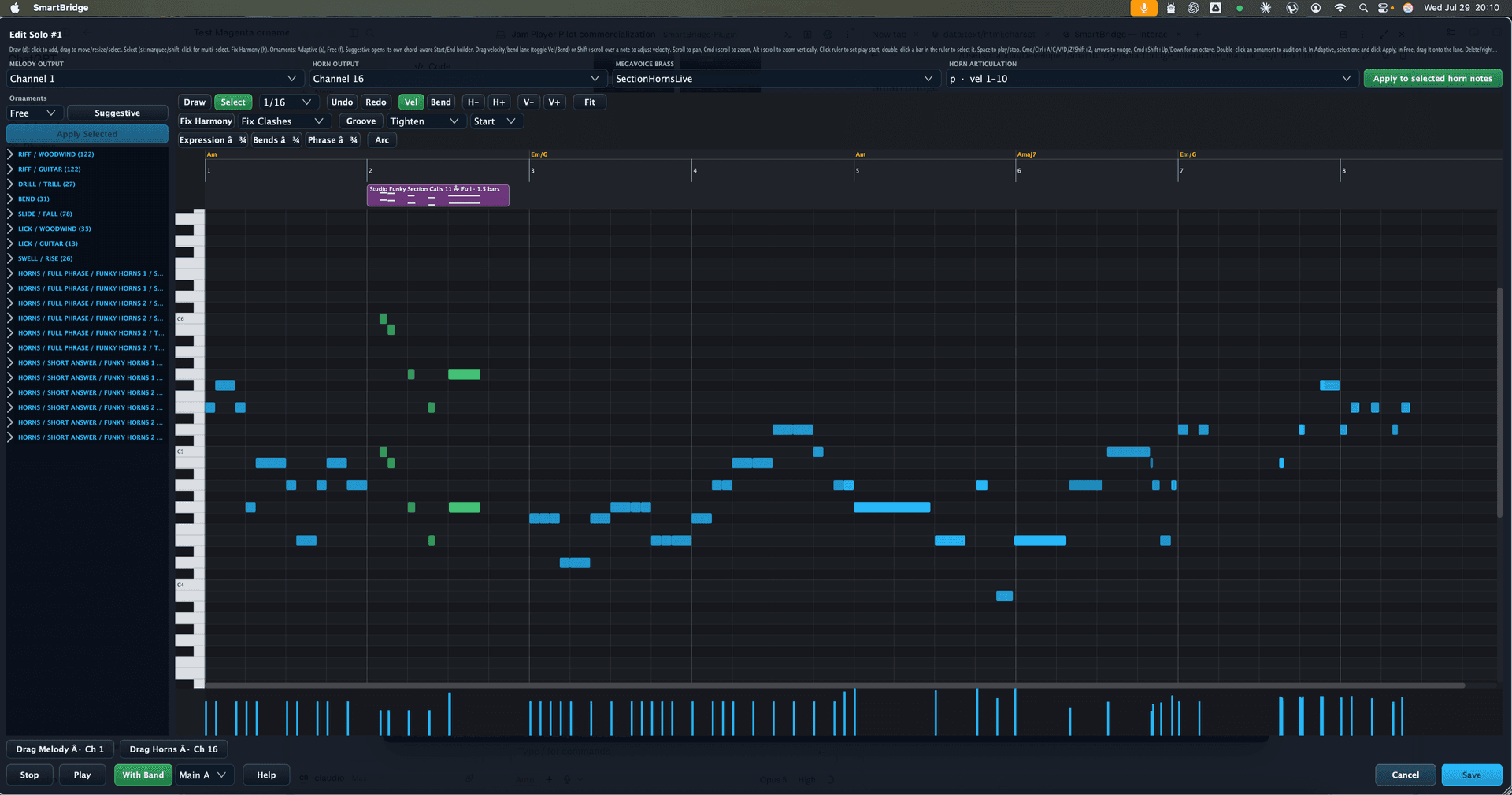
Creating a mock-up by recording a performance section. SmartBridge captures keyboard MIDI (Tyros channels 9–16, Motif channels 1–4) and stores it internally, allowing the musician to drag the recorded material directly into a DAW for immediate production work.
- Record complete performances with full MIDI data
- Drag and drop directly into your DAW timeline
- Seamless transition from idea to production
Creative Tools for Motif Arpeggios
Beyond these workflows, SmartBridge includes creative tools for working with Motif arpeggios.
Beat Maker
Allows auditioning and recording drum arps, then dragging them directly into the DAW timeline.
Riff Maker
Lets you set specific chords for each bar of a multi-bar arp (for example, a four-bar bass arp), audition it, record it, and transfer it straight into the DAW.

The SmartBridge Mixer
Full control of your Yamaha keyboard, perfectly synchronized and musician-friendly.
SmartBridge offers a full 32-channel mixer for Yamaha Tyros-style keyboards. This mixer provides bi-directional control so UI changes appear on the keyboard and keyboard changes appear in the UI.
- •Voice selection through dropdown menus or autocomplete search
- •Cubase patch import for exact models and expansions
- •Voice Copier that automatically preserves original insert effects
- •Control of drums, bass, chord parts, pads, melody voices, and accompaniment channels
- •Everything stays perfectly synchronized with the keyboard


DSP Manager
Detailed control of insert effects. Assign effect types to DSP blocks and channels. SmartBridge automatically applies the correct insert effects when a voice requires them. This behavior is also bi-directional.

Voice Selection
Quickly pick voices from all available packs including premium packs you have installed. Navigate through familiar categories that match your keyboard's organization.

Smart Search
Search all voices with autocomplete functionality. Find exactly what you need instantly without navigating through menus.
Motif Mixer
For Motif users, SmartBridge includes a streamlined mixer focused on ARPs and voices. It enables fast voice swapping and arp filtering while keeping complexity out of the way. While deep programming is available through official editors, SmartBridge focuses on speed and musical flow.

Jam Session
A flexible chord-clip looper with no hardware limitations. It supports unlimited clips, custom song sections, looping, improvisation, songwriting, and experimentation with musical structure.
- •Unlimited clips
- •Build intros, verses, choruses, and bridges
- •Loop any part while playing over it
- •Chords can be automatically extracted from played input or edited manually
- •Chord editor supports advanced harmony, tensions, and slash chords
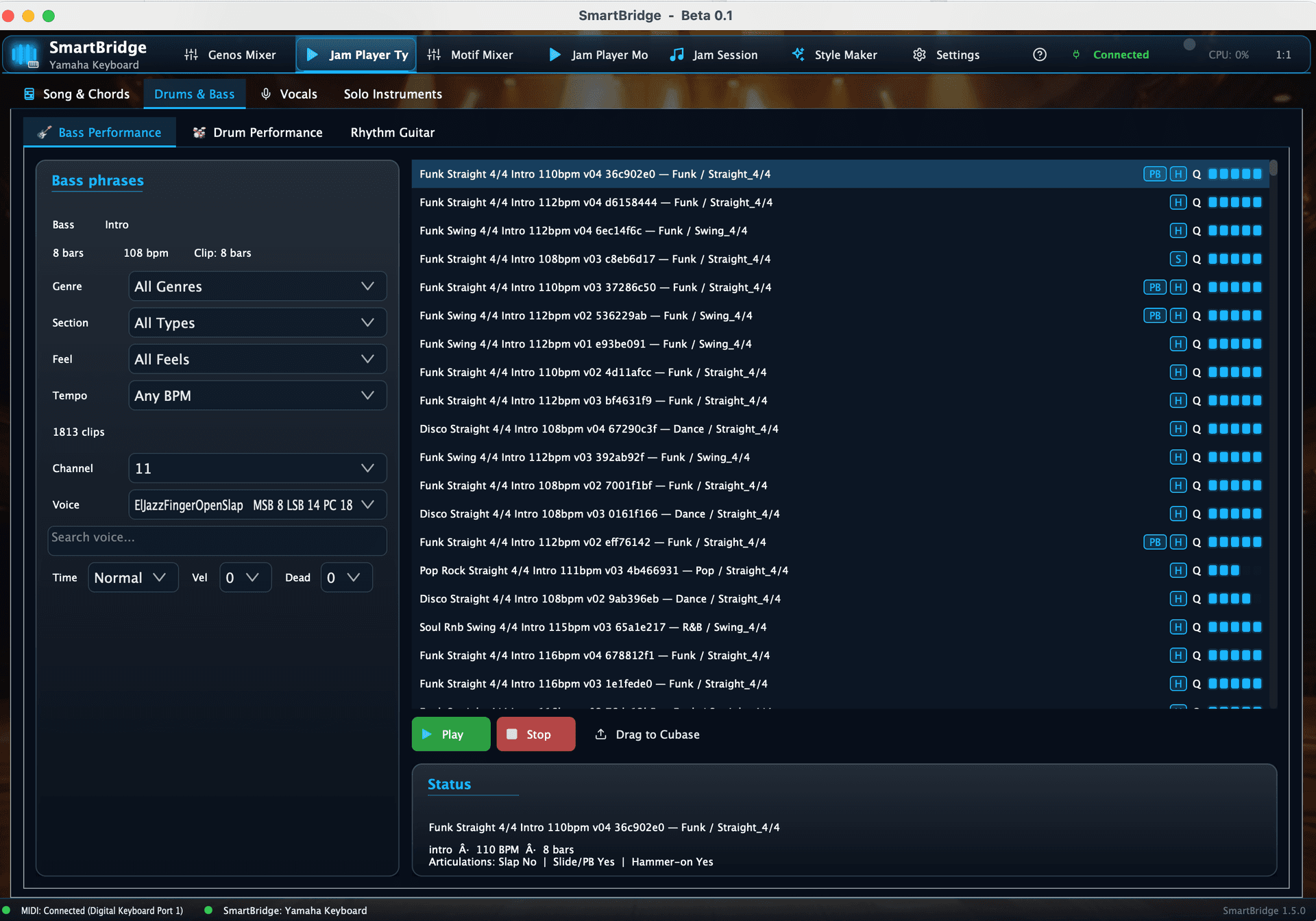
Jam Player
Provides a library of approximately 300 ready-made chord progressions. These progressions are categorized in the same way as PSR, Tyros, and Genos instruments, making them immediately familiar and practical.
- •Quick inspiration and warm-ups
- •Melody creation and practice sessions
- •Tempo sync can follow the keyboard (Keyboard Master) or SmartBridge (SmartBridge Master)
- •Transpose freely and choose which MIDI channel drives the chord progression
- •Timeline uses A–D Style parts on Tyros and arp parts 1–5 on Motif

Standalone + Plugin
SmartBridge can run as a standalone application or as a VST/AU plugin inside a DAW. Standalone mode is ideal for spontaneous jamming and quick inspiration. Plugin mode allows SmartBridge to operate as a creative engine inside a DAW workflow, enabling a tight connection between musical exploration and production tools.
The Creative Flow
Four stages from inspiration to production
Create Structure
Use Jam Session to build your musical structure with unlimited clips and sections.
Discover Ideas
Browse Jam Player's library of 300+ progressions for instant inspiration.
Shape Sound
Use the Mixer and DSP controls to craft the perfect sonic palette.
Export to DAW
Drag everything into your DAW to complete the arrangement and production.
Philosophy
The philosophy behind SmartBridge is rooted in musical curiosity. Instead of navigating hardware menus and technical layers, the musician can focus directly on creativity—finding progressions, shaping sound, experimenting with structure, and refining inspiration.
Technical Notes
Data Storage
SmartBridge stores content in a local database.
Voice Imports
Voice imports for PSR, Tyros, and Genos rely on Yamaha Cubase script patch files. Motif imports require a CSV file containing voices, arps, and multis in a specific format.
Compatibility
Designed specifically for Yamaha PSR, Tyros, Genos, and Motif keyboards.
Future Direction
SmartBridge is a personal passion project with an open-ended, gentle roadmap. It will evolve naturally over time, without fixed schedules, as ideas and inspiration emerge. Future plans include deeper Jam Session functionality and expanded mixer capabilities.
SmartBridge is not affiliated with Yamaha Corporation.